Chapter 1 - Web Application
Web Application
- Web Application Architecture is a framework which maintains interactions between application components.
- Take into account the arirements of
- users
- developers
- software proudct owner

webapp.js

var http = require('http')
var url = require('url')
var show = require('./show');

http.createServer(onRequest).listen(8888);
console.log('Server has started');

function onRequest(request, response){
  var pathName = url.parse(request.url).pathname
  console.log('pathname' + pathName);
  show.showPage(response, pathName)
}

}
show.js

var content = require('./content') //import

function showPage (response, pathName){
if(pathName === '/'){
  response.writeHead(200, {'Content-Type: 'text/html'})
  response.write(content.contentMap[pathName]);
  response.end();
 }
 else {
  response.writeHead(404, {'Content-Type: 'text/html'})
  response.write('404 Page not found');
  response.end();
	}
}
exports.showPage = showPage
content.js

var contentMap = {

 '/': '<h1>Welcome to the site</h1>',
 '/contact' : '<h1> Contact Page</h1>',
 '/about' : '<h1> About Page</h1>',
  '/users' : '<h1> Privacy</h1>'
}
exports.contentMap = contentMap;
Ref: https://ilovecoding.org/courses/nodejs/lessons/creating-a-simple-web-app-with-nodejs
Different types of web applications
- Basic Leagacy Web App
- the server output HTML shown in the browser, typically the entire page
- The data is more secure as all data is “hidden”
- Increases data exchange, server work load, latencies

- Widget Based Web App
- Application is seperated into sections as widgets that independently display HTML or render JSON/XML content
- No reload of entire page, more dynamic behaviour
- Part of the application logic is exposed to the client side

Single Page Application
- Load HTLM static content,JS-files and start client
- Next, do mainly content calls
- E.g. in Node.js
var express = require("express");
var app = express();

app.listen(3000,()=>{
   console.log("Server running on port 3000")
});

app.get("url",(req,res,next)=>{
   res.json(["Tony","Lisa","Michael","Ginger","Food"])
});

Web App Components

Choosing a platform

- capability (能力上)
- platforms(兼容的平台上)
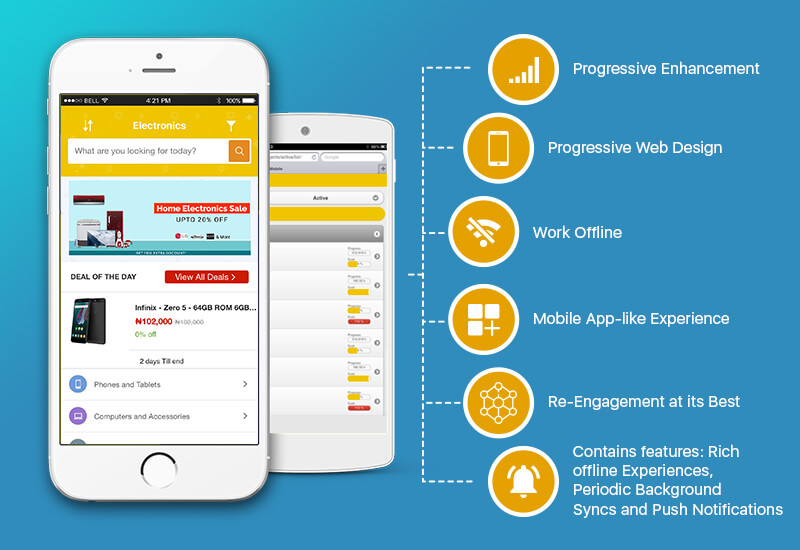
Progressive Web Apps
- uses modern web capabilities to deliver an app-like user experience
- Installable and live on the user’s home screen, without the need for an app store
- WHY PWA?
- App like experience
- Push notification
- Working offline
- Adding as icon in home screen
- Core contents
- Services Workers (offline functionality)
- App Shell
- App manifest
https://developers.google.com/web/progressive-web-apps/
HTML5 powers to Web App
- Local data storage
- up to 5MB of data
- Databases
- IndexedDB, a NoSQL system that is natively JavaScript
- Files
- While applications still can’t freely access the filesystem (for obvious security reasons), they can now work with files the user specifies and are starting to be able to create files as well.
- Taking it offline
- Manifest files help developers work around that by caching files for later use
- Web Workers
- No problematic threads and forks
- provides a way to put application processes into separate spaces where they can work without blocking other code
- Web Sockets
- transform the request-response approach to create much more flexible communication systems.
Ionic
- provided library of front-end building blocks and UII components
- easy to deisign beautiful, high-perforamnce mobile and Progressive Web Apps
- with HTML, CSS and Javascript
- Pair with any JS framework, Angular, React, Vue
- Ionic apps are backend agnostic, with connections to AWS, Azure and Firebase

Web as a platform
- Traditionally, software was developed for specific platforms, such as Windows, Linux, or Mac OS.
- Today, developers build Web-based applications that run on the Web, that are completely independent of the user’s actual computer operating system.
- One of the goals of Web 2.0 is to facilitate the use of the Web as a development platform.